
MSN Live Messenger Login Problem Error Codes: 80191002, 81000306
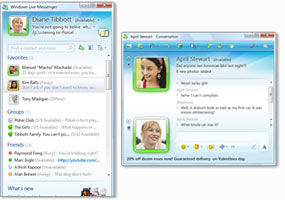
Live Messenger
I have been using MSN Live Messenger for a while until I started to run into Error Code Messages. I was getting error message Error Code: 80191002
Double checked my email address and password, when I tried again I still was getting Error Code: 80191002 message.
FIX Error Code 80191002: To get the error resolved follow the steps below. (I am running Windows Vista Home Premium, but following same steps should get those errors resolved in Windows XP)
1. First go to Start->Control Panel -> Programs and Features
2. In the search box type Live
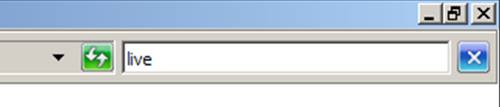
Search Box
or look for Windows Live Essentials and double click to get the Uninstall or repair your Windows Live programs Wizard.
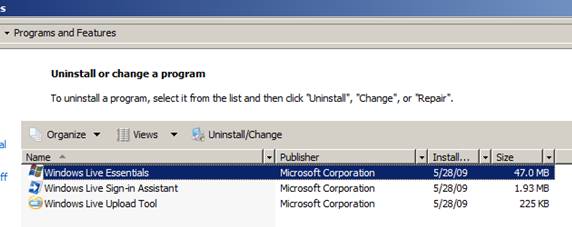
Windows Live Essentials
3. Select Repair
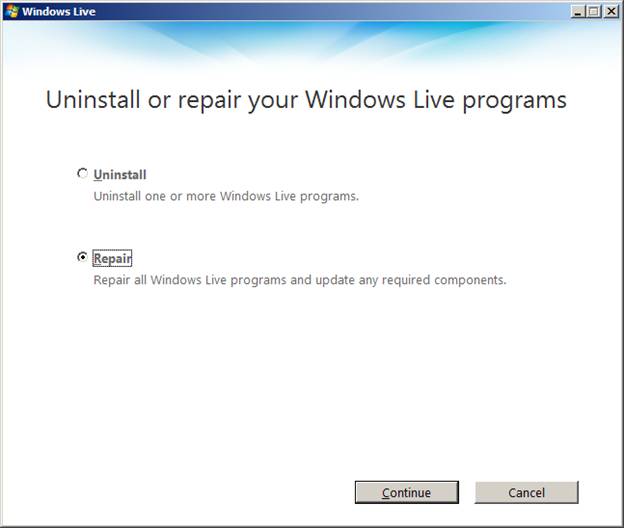
Uninstall or repair your Windows Live programs
(Before you click continue make sure to close msn messenger)
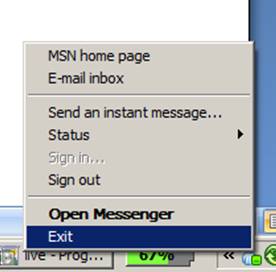
Close MSN Live Messenger
<4. Once the repair process is done You must restart your computer. If you will not restart your computer and will try to login you will get Error 81000306.
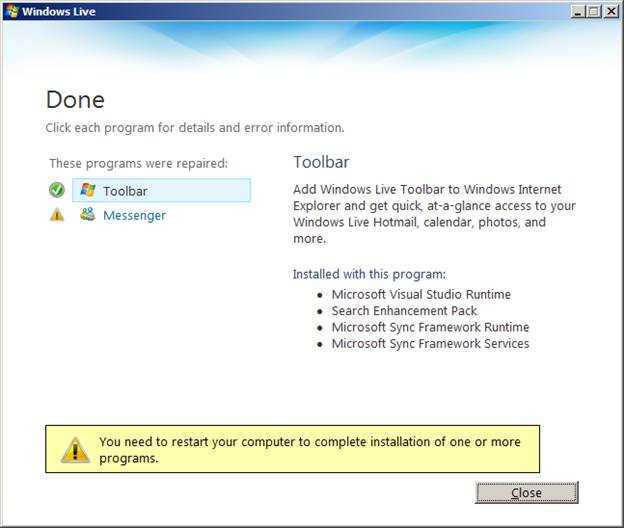
You must restart your computer
Once you will restart your computer you should not long have Error Code 80191002 when trying to sign in to MSN Live Messenger. By following the steps above you might be able to fix other Error Code 801xxxxx. Also you might be able to lunch the repair process by downloading free windows live messenger and lunching the install.
Please leave comments.
Article that will help to follow the steps above.
How to get to “Add or Remove Programs” or “Programs and Features” Panels from run or command prompt


hee,
i’ve tried this 6 times but it doesn’t work, also i tried re-installing and
other things but it doesn’t work
we also have a pc upstairs and on that pc wlm is doing fine so i don’t understand anything.
do you have an other solution?
sorry for my bad english
i’m from holland haha
grtz
Hi, Manuel, What are the error messages you get, and what operating systems do you run the MSN Messenger Live?
hi,
i’m getting the 80191002 error
and i have the newest wlm 2009.
Have you followed the steps above to repair Windows Live Messenger? I have tried to do a re-install too, and for some reason it wouldn’t fix the Error, so I had to do a repair and it finally fixed the Error Code 80191002 that I had on my system.
Microsoft need to provide a better solution. Happens too often; and when I’m busy with several apps open the last thing I want to do is restart my computer.
I’ve tried that solution houndreds of times and it didn’t work.
I’ve sent an e-mail to msn support in order to get other solution. If so, I’ll post it here!
What OS are you running Windows Live messenger on? Can you give a lit bit more details what you have tried to do? (Uninstall, reinstall, Registry Cleaning, etc.)
Thanks !!
Hello
I tried this but when i went on start>control pannel there wasnt Programs and Features
what do i do?
Carrie,
I just added a quick guide to at the end of this post How to get to “Add or Remove Programs” or “Programs and Features” Panels from run or command prompt
Unfortunately, these steps do not help me. It all boils down to restart your computer. When you’re in the middle of a project and have been for many weeks, restarting is just NOT an option.
Bottom line: MSN is broken and needs some recoding.
it isent working i got the code 81000306 and i can’t fix it, my friend is on a DELL computer with windows 7…please help!
@fixme, Have you followed the steps above on your friend’s PC. Let me know what errors you are getting during the Repair Process.