
How to Print from Windows 98 to Network Attached Printer

Windows 98 Second Edition
Just recently I faced with the problem or printing from Windows 98 to a network printer. At first I thought not a problem because it has the capability to print to a network printer.
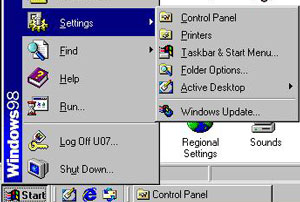
Windows 98 Pinters Location
Go to Start -> Settings -> Printers
Right click on the printer properties
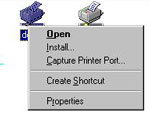
Printer Properties
Details -> Add Port -> Other -> SC-Print2000 Port ->OK
It will lunch Wizard to Add SC-Print2000 Port
Selected Print by using LPR (Line Printer Remote) -Next
IP address or host name: Text Box
Entered IP address of the Network Printer
Port name of the print Server
IP (AR-NC5J)
-Next
Destination print port name: Leave to default
Then Hit Finish and the Printer IP Address: IP should show up under Print to the Following port drop down.
Hit OK


